Create images
You can now create images with the AI chat.
➊
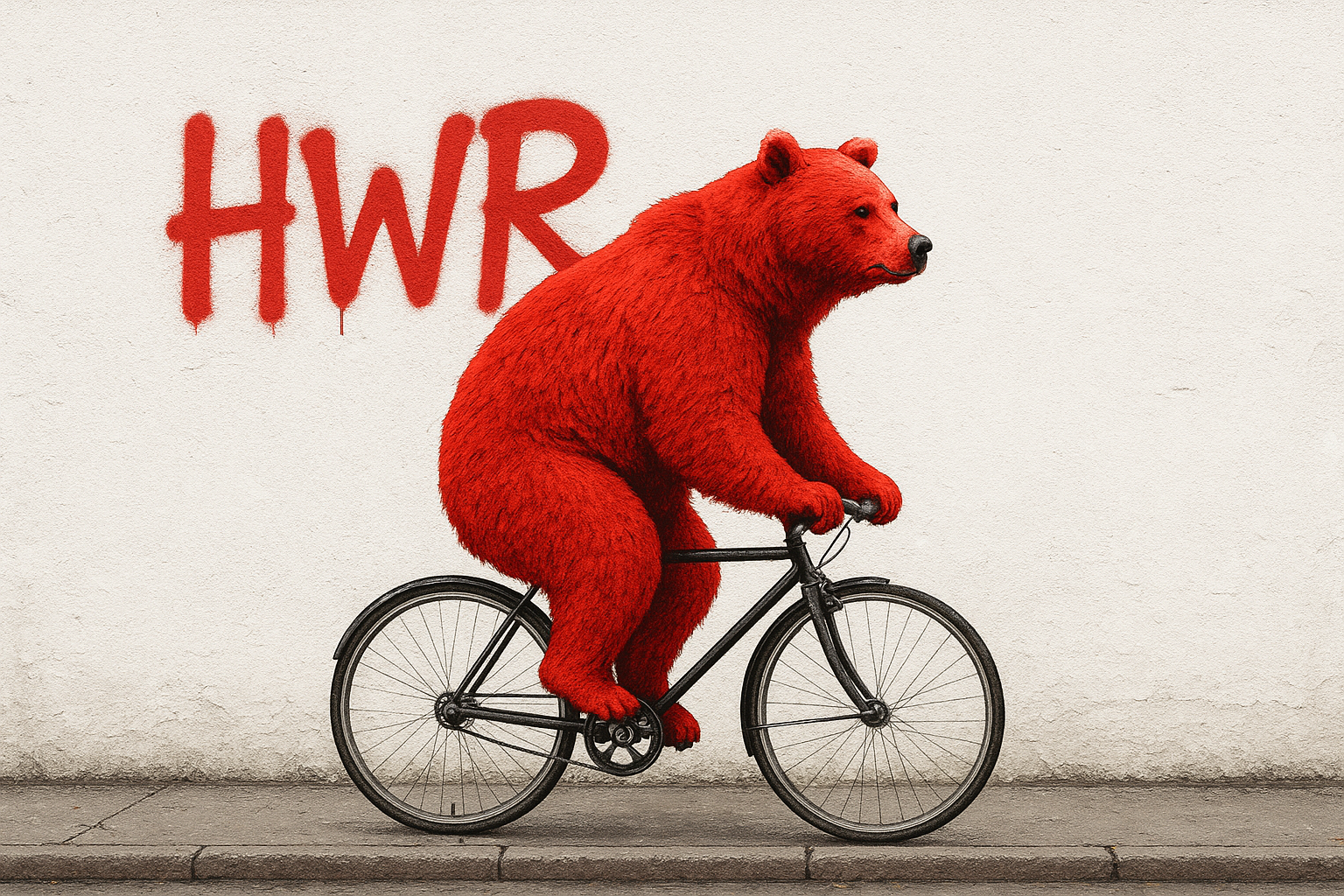
Click on the diamond icon.
➋
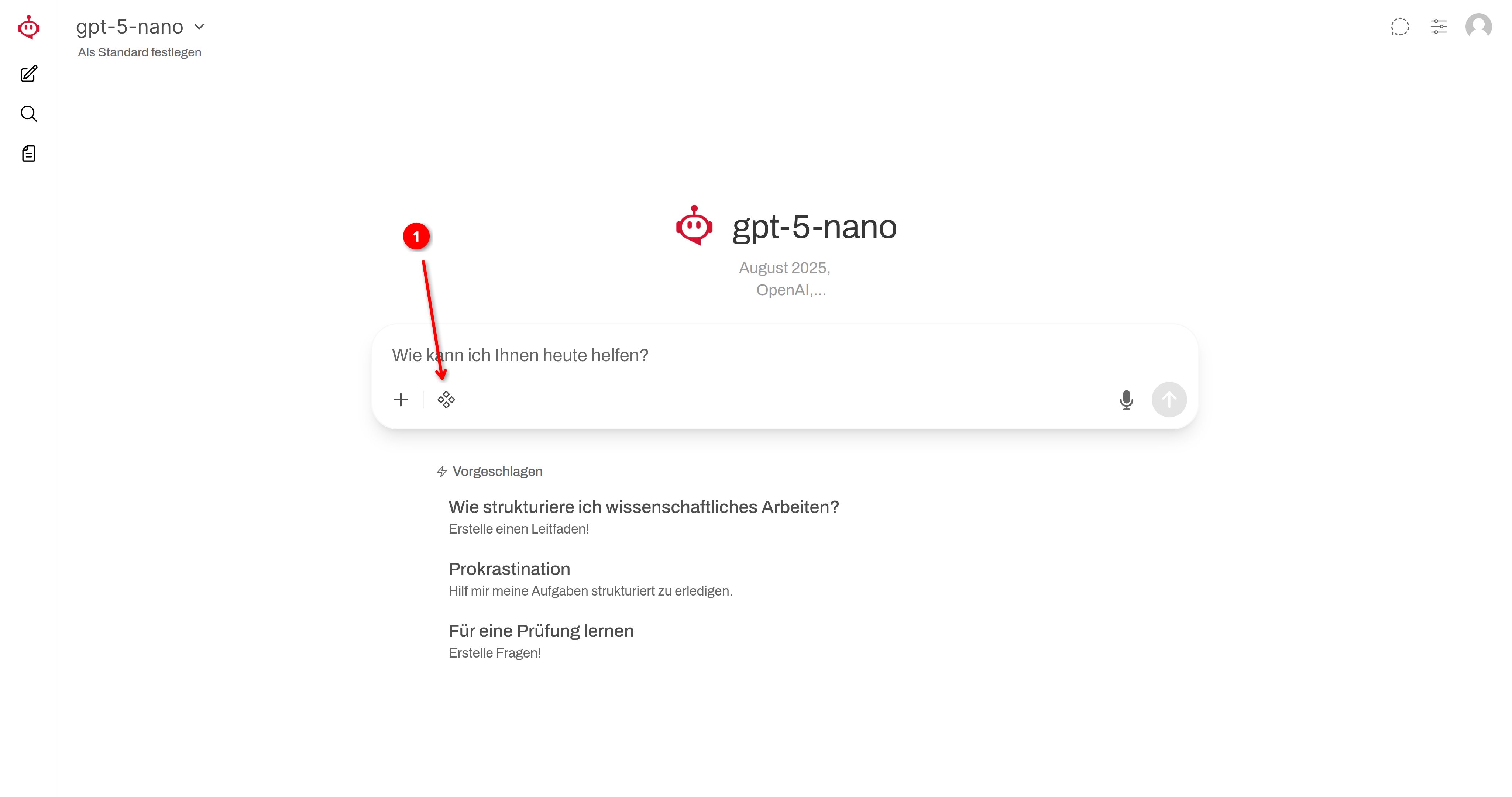
Activate the image function (green = active)!
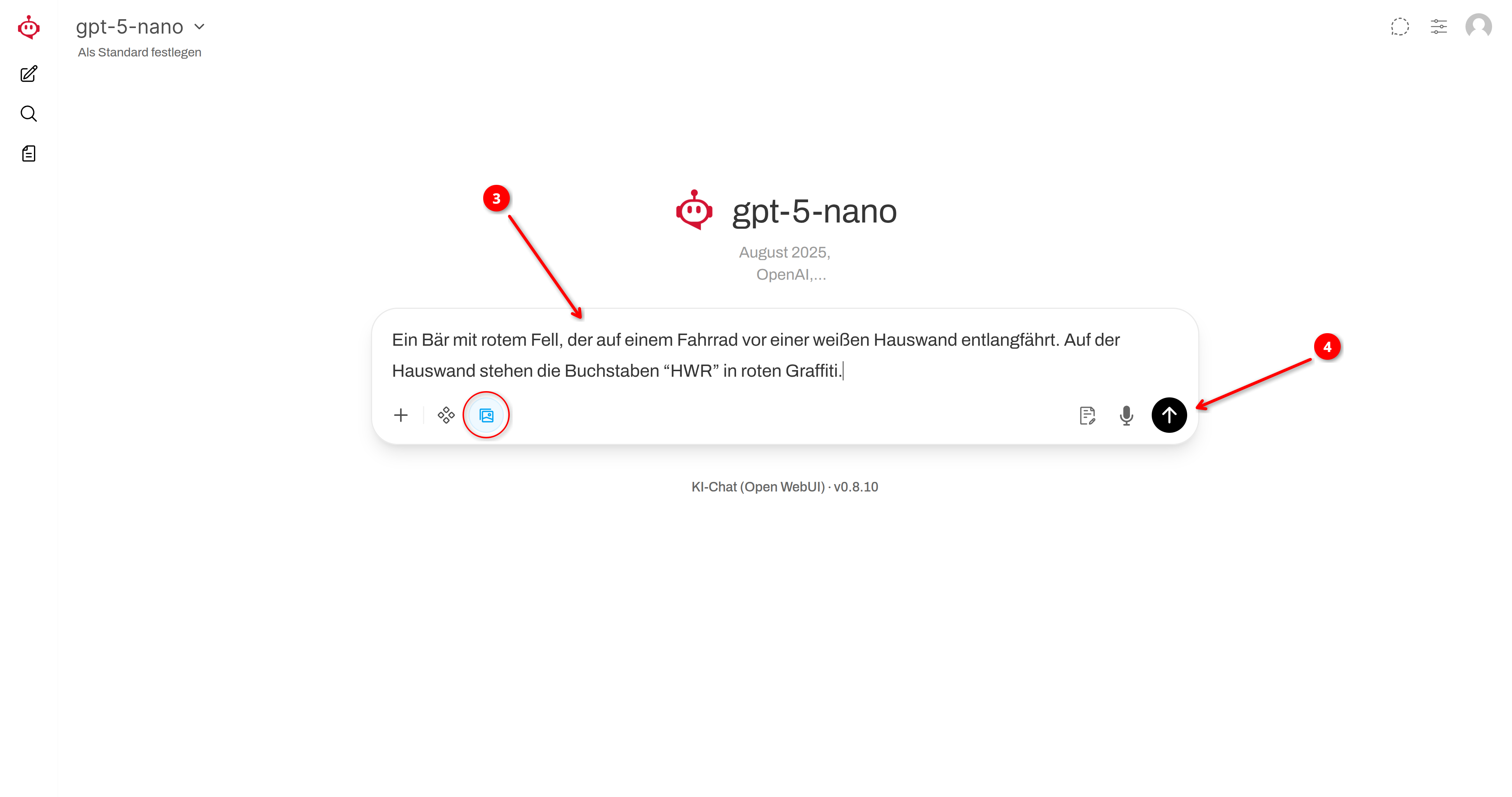
➌
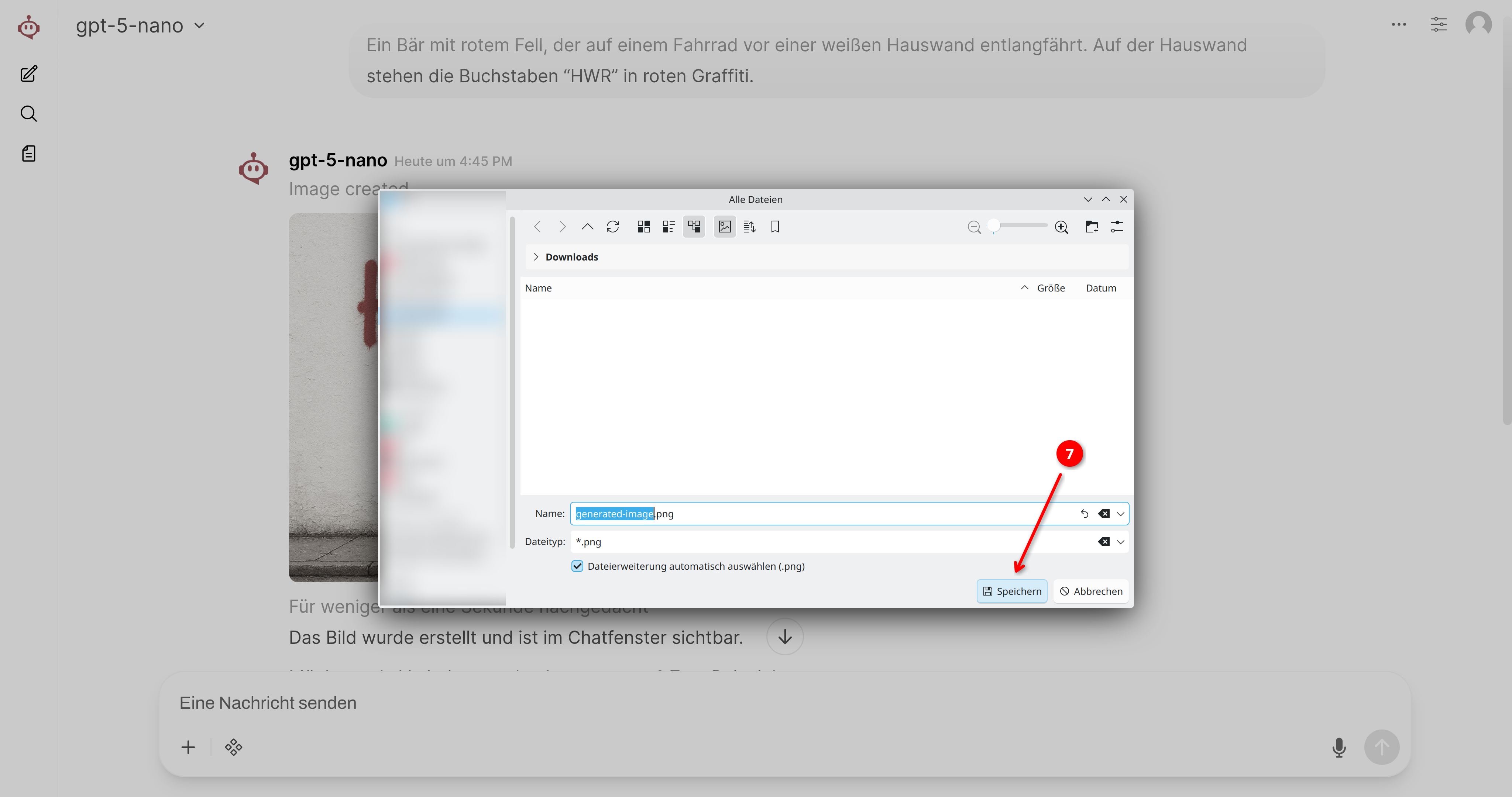
Describe your image. The more detailed the description, the more likely the result is to meet your expectations!
➍
Press ENTER or click the arrow icon to start generating the image!
ⓘ
Please be patient. Generating images takes longer than generating text.
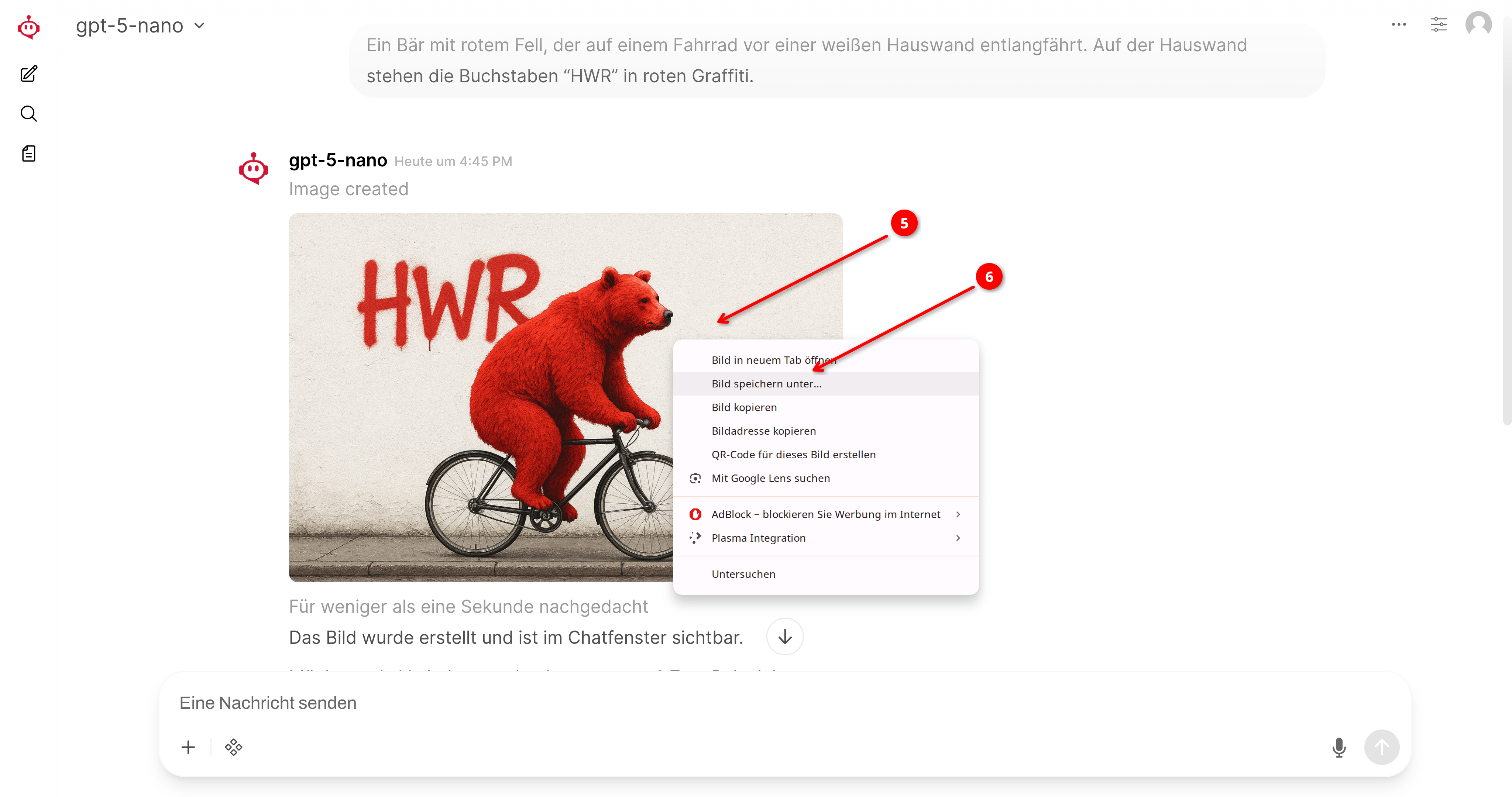
➎
Right-click on the image and
➏
then select Save image as…
❼
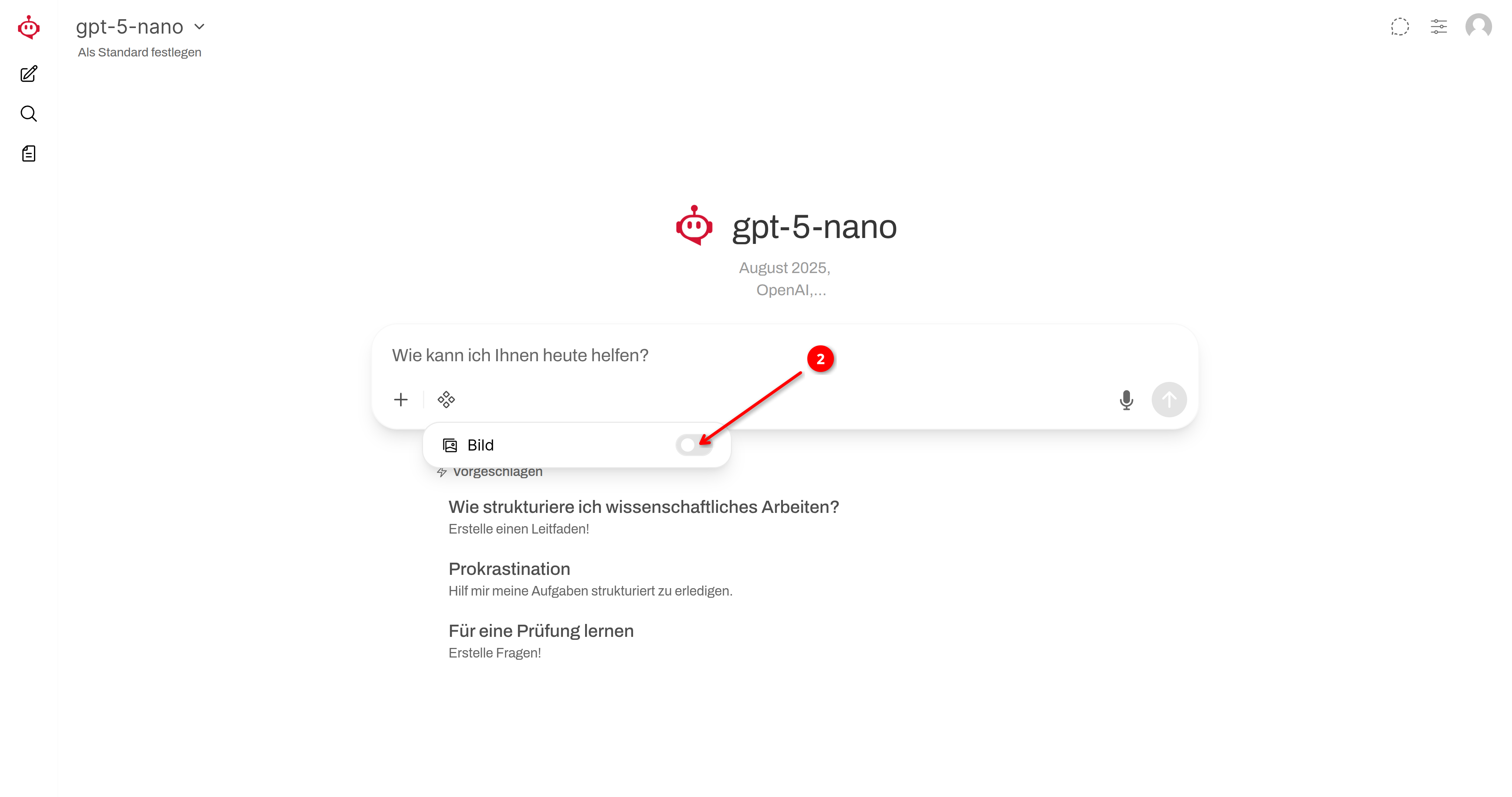
Select the storage location on your computer, assign a name of your choice, and then click Save!